
Long videos.
A shorter watch.
Choose a target length and watch AI-selected passages in the original YouTube player. Inspect the timestamps, read a summary, or ask a follow-up question.
One shared free request per day. No sign-in or API key.
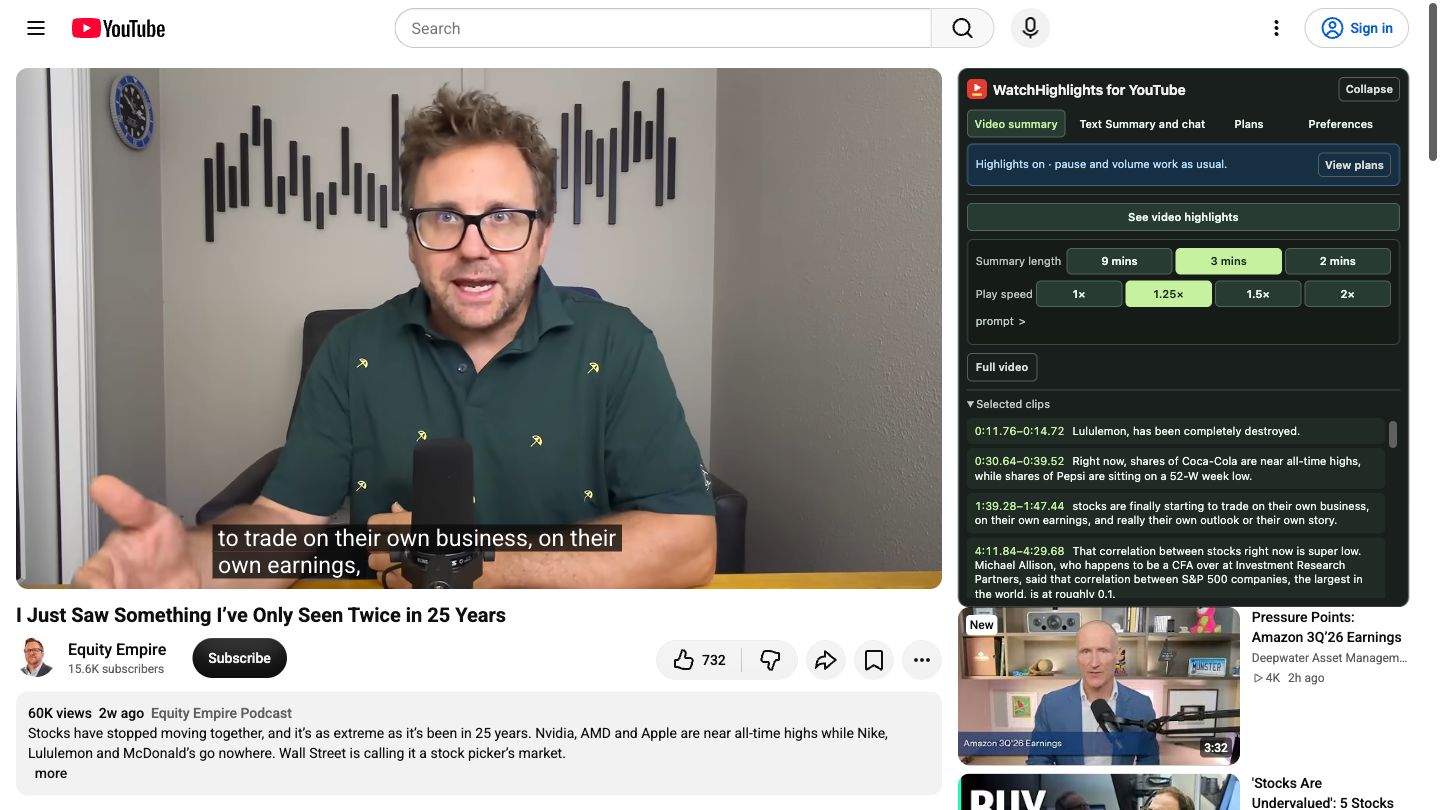
Choose. Watch. Check the context.
Use highlights to review a captioned explanation or decide which sections deserve a full watch. Text summaries and chat are available alongside the video.
Open a captioned video
Install the Firefox extension, then open a desktop YouTube watch page. Pick a lecture, tutorial or interview with available captions.
Set your target length
In Video summary, choose a length and select See video highlights. Playback follows selected passages in the original player.
Keep the full explanation close
Inspect Selected clips for timestamps. Choose Full video whenever you want the surrounding context.
More room for your watch list.
Start with the daily free allowance. If you need more, choose a subscription from Plans inside the extension.
Free · one successful request per UTC dayShared across highlights, text summaries, chat answers and new read-aloud audio, per stored browser account. No automatic upgrade.
Try it in Firefox ↗50 video hours / month
USD · monthly subscription
100 video hours / month
USD · monthly subscription
200 video hours / month
USD · monthly subscription
Unlimited video hours
USD · monthly subscription
Each new analysis or audio generation counts the full source-video duration. Reusing a cached result uses no allowance. Failed or canceled analyses release the reservation. Unused hours do not carry over. Cancel through Manage subscription.
A few useful details.
Caption-based AI can miss things. Keep the original video available when accuracy and context matter.
Which videos does it work with?
Captioned desktop YouTube watch pages. Visual-only information may be missed, and AI selections or answers can contain errors. Highlights and chat use the captions of the current video.
Does it create a downloadable shorter video?
It plays selected passages from the original video inside YouTube. It does not export an edited video file.
What happens to the video text?
Video titles, captions and chat context go to the FunCove hosted service and its AI provider for processing. Conversations are saved in local extension storage. Read the product privacy policy for details.
Can I recover a paid account?
Use Restore account and confirm the code sent to the original payment email. This reconnects the paid account and its existing subscription allowance. Free accounts without a purchase email cannot be recovered.
Try one video from your watch list.
Choose a captioned video you already wanted to watch.